We have been travelling full time for three years, through more than 30 countries. This planner is how we turned the places from those years into something you can plan your own trip with.
At the end of September we watched a screen recording of another travel app planning a trip to Da Nang. You picked a city, swiped through photo cards of things to do, and the ones you kept landed on a clean, bright map. The thing that stuck with us was how it felt. It was quick, it was fun, and you wanted to keep going. So that was the brief we gave ourselves: pay close attention to the feel, the look and the ease, because the feel is the product.
What we did not want was a deck of places pulled off a review site that we had never seen. So the deck is built from two things: the places we have been to and talked about in our own videos and posts, and open data about the well known sights, with nothing taken from Google or Apple. This is how it works today, screen by screen.
How it works
1Pick a country or a town
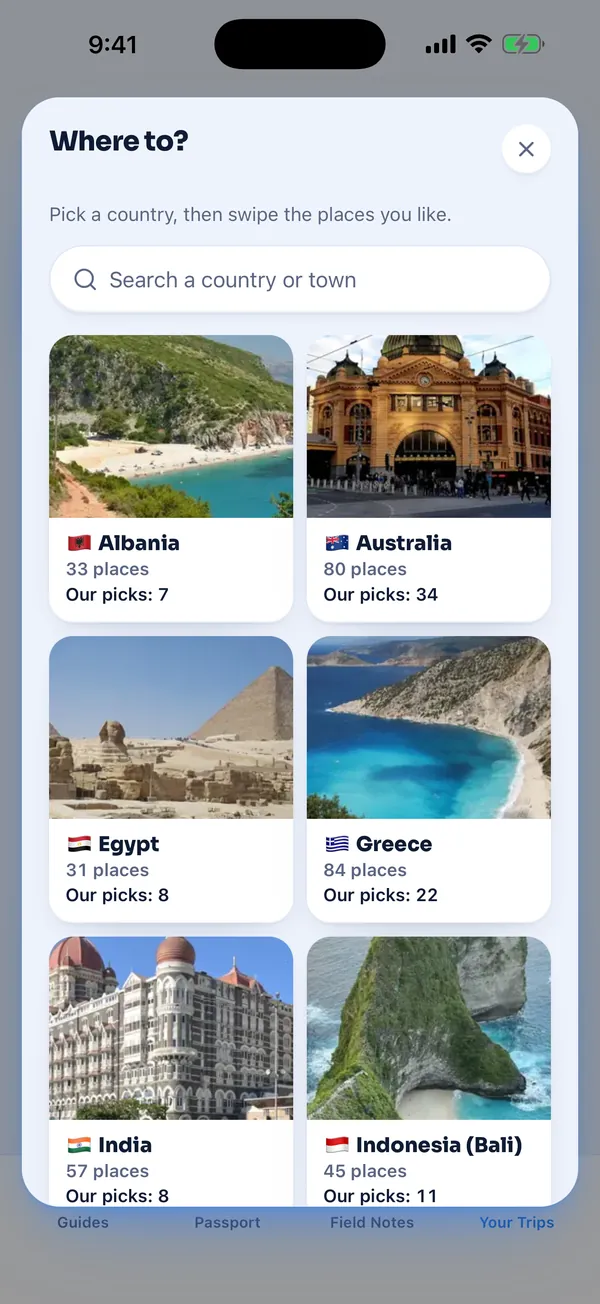
Plan a trip by swiping sits at the top of Your Trips. Tap it and you get Where to, a grid of the 21 countries that have a deck, each tile showing how many places it holds and how many of them are our picks.
The search box finds countries and towns, so you can plan all of Albania or just Sarandë. It does not search single places on purpose. A trip starts with where you are going, then the deck shows you what is there.
2Tell it the shape of the trip
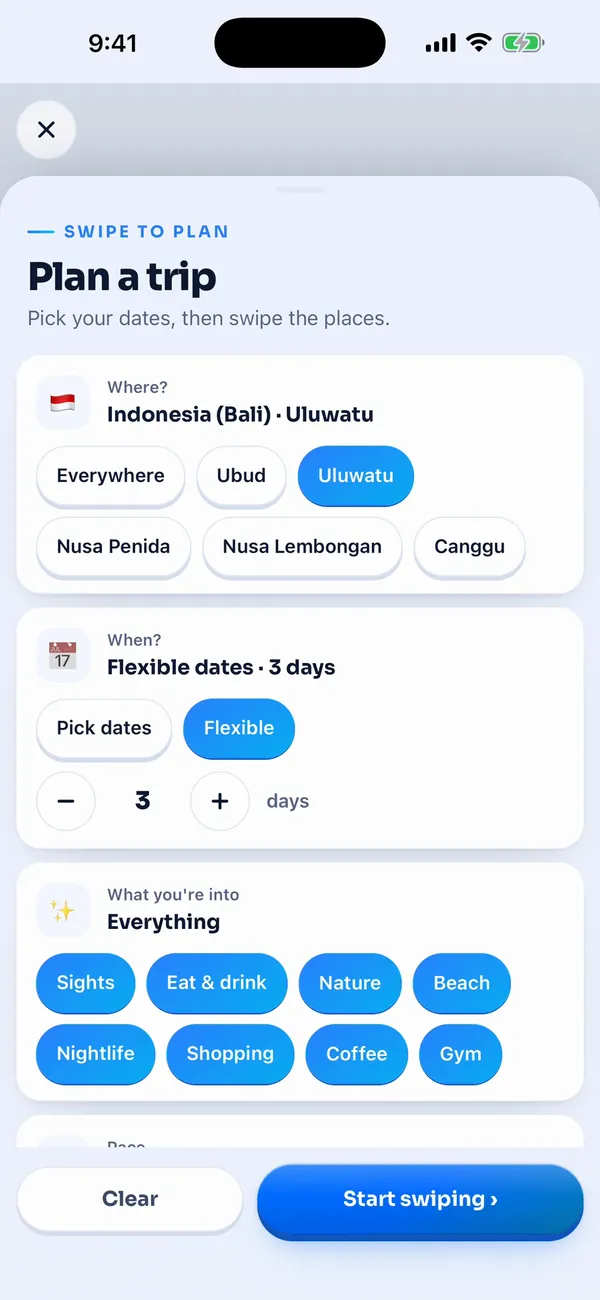
One sheet, no wizard. Where narrows a country down to its towns. When takes real dates from a calendar, or Flexible and a number of days. What you're into filters the deck by sights, food, nature, beaches, nightlife, shopping, coffee and gyms. Pace is Relaxed, Balanced or Full, and Getting around is On foot or By car.
Those last two matter later. Pace sets how many hours each day gets, and On foot or By car changes how much travel time it allows between stops.
3Swipe right to keep, left to skip
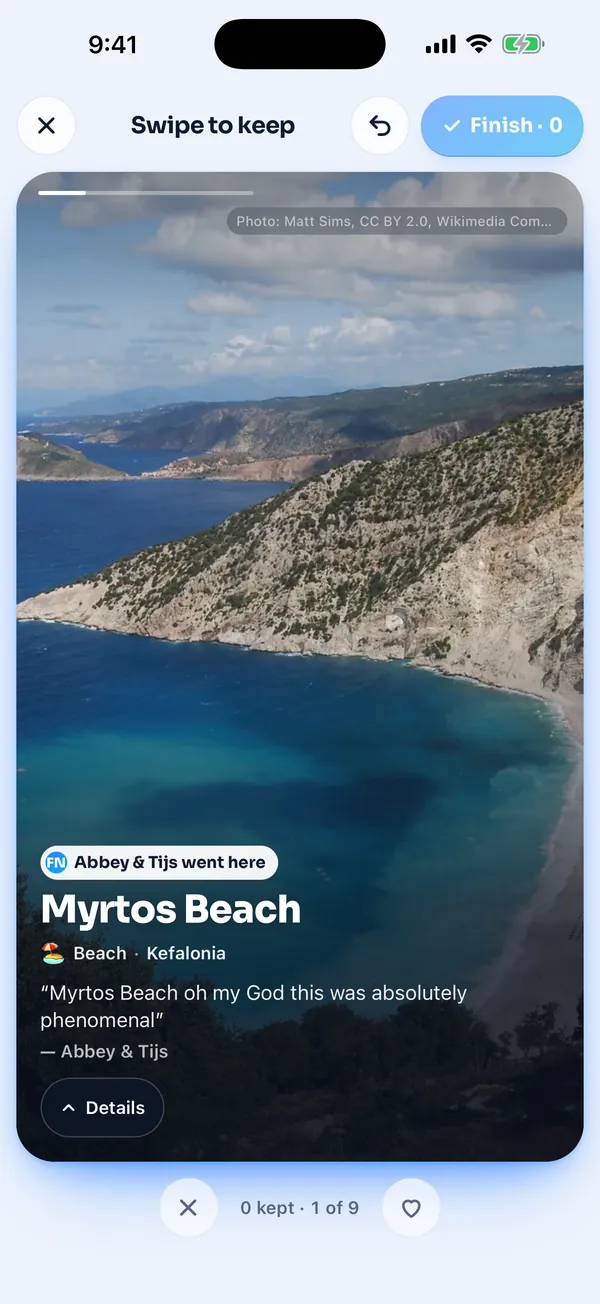
Each card is one thing to do, with a big photo, what kind of place it is and the town. Drag it right to keep it and left to skip it, or use the two buttons under the card. There is an undo button for the one you flicked away too fast.
The deck opens on places we have been to, then the well known sights, and it mixes the kinds of place so you never get six cafes in a row. Myrtos Beach on this card is one of ours, and the line under it is what we actually said about it.
We spent more time on how this feels than on anything else in the planner. The card tilts as you drag it, a heart or a cross grows in, and the next card rises up behind it the moment you let go.
4See your picks on the map
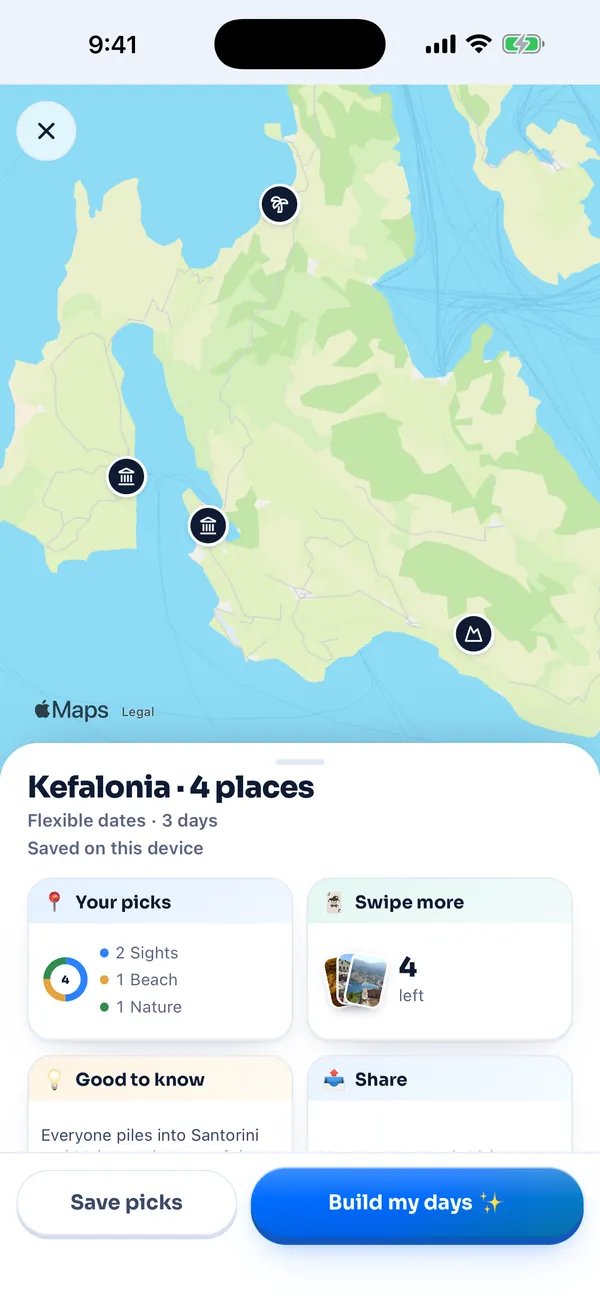
Tap Finish and every place you kept drops onto Apple Maps, each pin drawn with an icon for its kind. Tap a pin to see its photo, or tap a place in the list and the map finds its pin.
The tiles under the map show what you kept, how many cards are left to swipe if you want more, and Good to know, which is our own tips for the towns you picked. From here you can save the picks as they are, or let the app build your days.
5Build my days
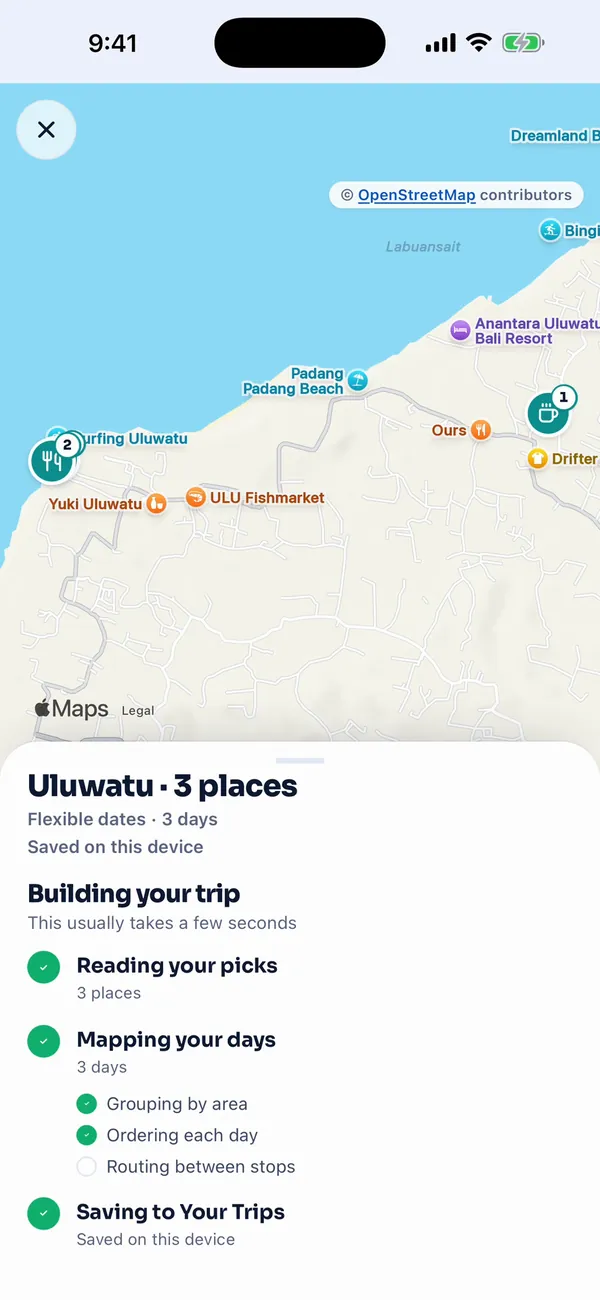
Build my days shows a short checklist while it works, and it only ticks a step that has really finished. If a route could not be drawn, that step gets an amber dot and says so.
The planning rules are plain ones. Places more than 60 km apart are treated as different areas, and only then does it ask you a question: which order to visit them in and how many nights each. Each day starts at 9am and fills up to your pace, with a rough amount of time for each kind of place, a beach longer than a coffee. A bar goes last and never before 7pm.
It never quietly drops one of your picks. Anything that does not fit goes on an Unplanned tab with the reason, like no room on any day or too far from the rest.
6Your trip, day by day
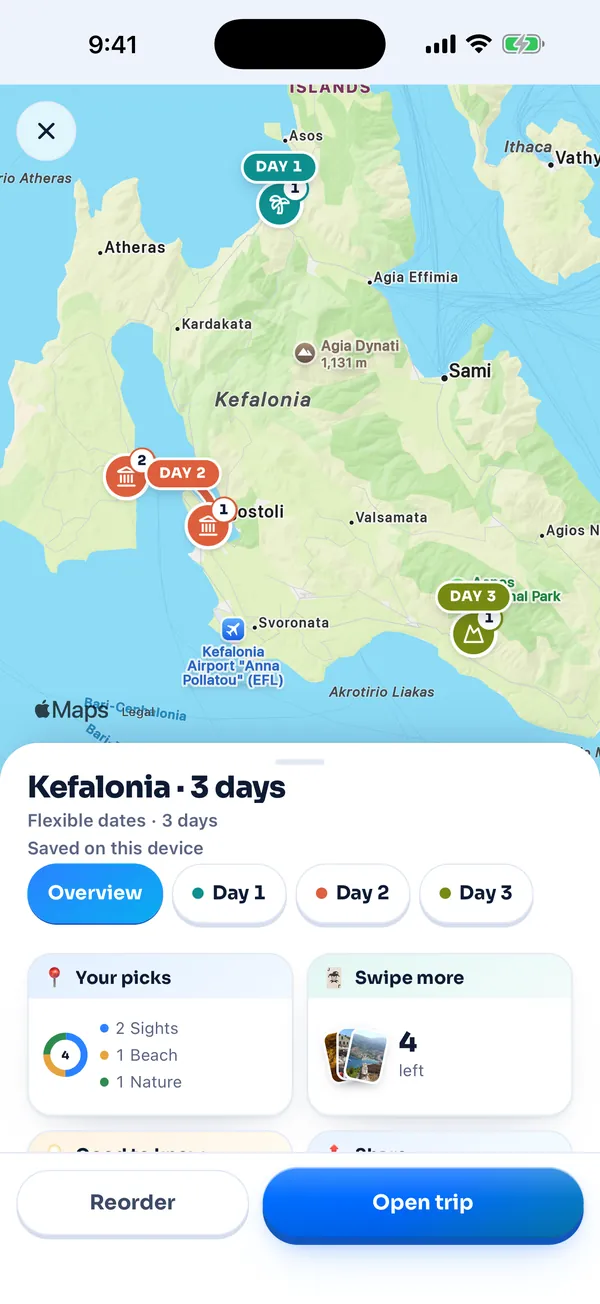
Each day gets its own colour on the map and its own tab, with the stops in order, a time for each one and the line between them. The route is Apple's real directions between each pair of stops, on foot or by car.
When Apple cannot give a route, the app says Route unavailable and draws a dashed straight line instead. It never makes up a travel time, because a guess is worse than nothing when you are trying to catch a ferry.
The finished trip is saved to Your Trips, next to any trip you build by hand, and you can reorder it or open it like any other.
What makes it different: our places are badged
Close to 1,500 cards across 21 countries, and more than 900 of them are places we went to ourselves. Those cards carry an Abbey and Tijs went here badge and our own words about the place, pulled from what we said in our videos, reels and posts.
The rest are places we have not been to. Those cards get no badge at all and two or three plain facts instead of a quote, and their details say Fit Nomads editorial pick. A place we did not visit never wears the badge.
Wherever we can, the photo on a card is our own, a still or a frame from our footage. The others are open licence photos, mostly from Wikimedia Commons, with the photographer and the licence on the card. When we have no picture of a place we went to, the card shows our words without a photo rather than borrowing someone else's.
Inside a deck, ours come first, and the other places are ranked by how well known they are, counted in Wikipedia pages.
What it doesn't do yet
No hotels. Our first idea had hotel suggestions around your pins, and we cut it from this version to get the swiping and the map right first. There is no booking either.
No star ratings, opening hours or reviews on the cards, because none of the card data comes from Google or Apple.
It covers 21 countries, the ones we have travelled, and some towns only have a few places so far. A handful of places have no exact pin yet. They still go on the right day in their town, they just get no route line to them.
And the map needs a connection. If it cannot load, you see a Map unavailable card, not a blank screen.
We built this because it is how we wanted to plan our own trips: quickly, on a phone, from places someone we trust has actually stood in. Try it on the next place you are heading, and tell us which country you want next.
Abbey & Tijs