We have been travelling full time for three years, through more than 40 countries, and we have trained in a lot of strange places. Some towns have a great gym. Some, like Pacifico Beach on the quiet side of Siargao, have none at all. Before a safari we knew would have no gym, we went heavy on legs in a real gym first, because the days after would be bodyweight only.
Back in April we asked on Instagram whether you wanted workouts for local gyms, hotel gyms and hotel rooms, and when one of you asked for bodyweight and hotel room workouts we promised to add them. So when we built the app, where you are training became the first question it asks, not an afterthought.
This page shows how that works today, using the real app, and it is honest about what is still missing. The sessions are the ones we wrote and use ourselves, the same ones our coaching clients get.
How it works
1Say where you are training
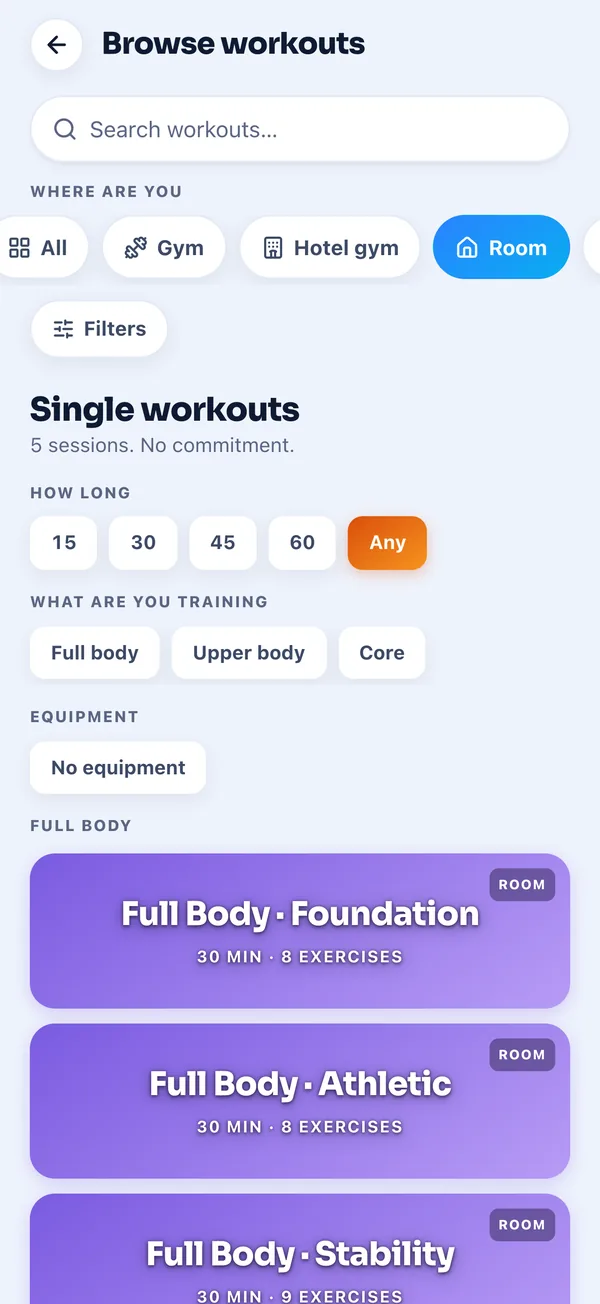
Browse workouts opens with one question, Where are you, and four answers: Gym, Hotel gym, Room and Anywhere. Room is the one for a hotel room with a bed, a chair and a bit of floor. Pick it and the list drops to the sessions that need no equipment.
Right now that is five room sessions of about 30 minutes each: three full body sessions called Foundation, Athletic and Stability, an upper body push session and a core session. You can narrow them further by how long you have and what you want to train.
2Open a session and see the whole thing
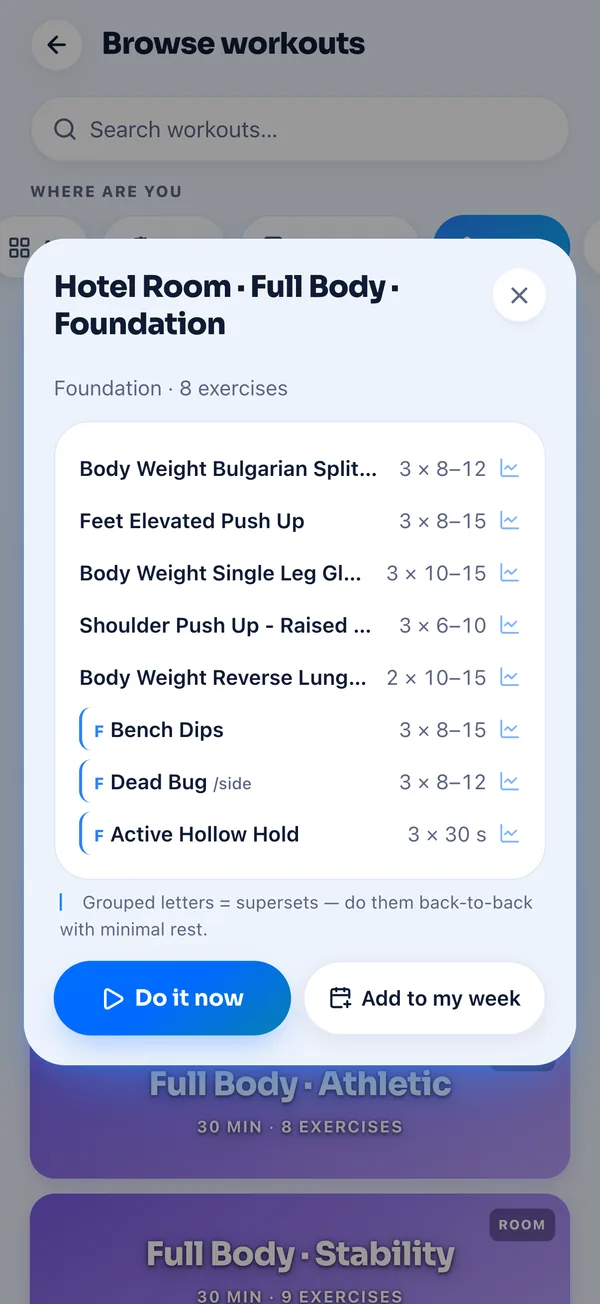
Tap a session and you see every exercise with its sets and reps before you start. Full Body Foundation is eight moves: bodyweight Bulgarian split squats, feet elevated push ups, single leg glute bridges, shoulder push ups, reverse lunges, then bench dips off the edge of a chair, dead bugs and a hollow hold done back to back.
Do it now starts the session straight away. Add to my week puts it on a day in your plan instead, which is how we use it when we know the next stop has no gym. During the session you tick off each set, type in the reps, and the rest time between sets is already filled in.
3Swap anything you cannot do in that room
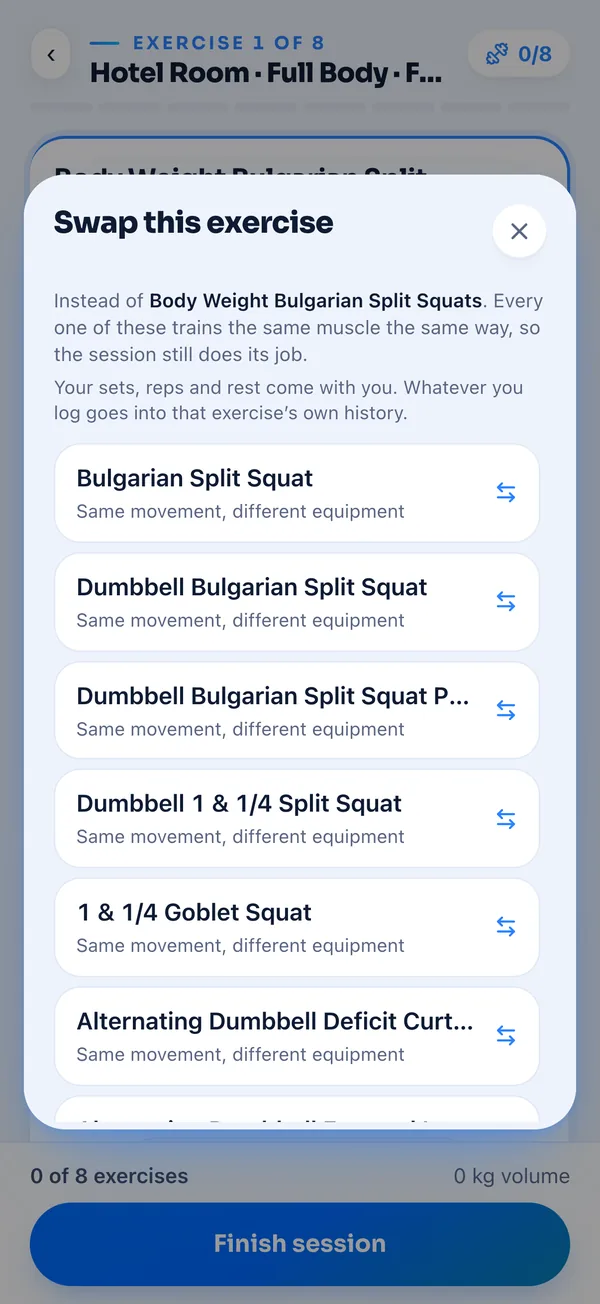
Every exercise in a session has a Swap button. It came from a real problem Tijs kept having: the programme says machine chest press, and the hotel gym has two dumbbells and a bench. The session should carry on, not stall.
The list it shows trains the same muscle with the same kind of movement, so the session still does its job. Your sets, reps and rest come with you, and whatever you log goes into that exercise's own history, so the numbers stay honest next time.
4Follow a programme for the whole trip
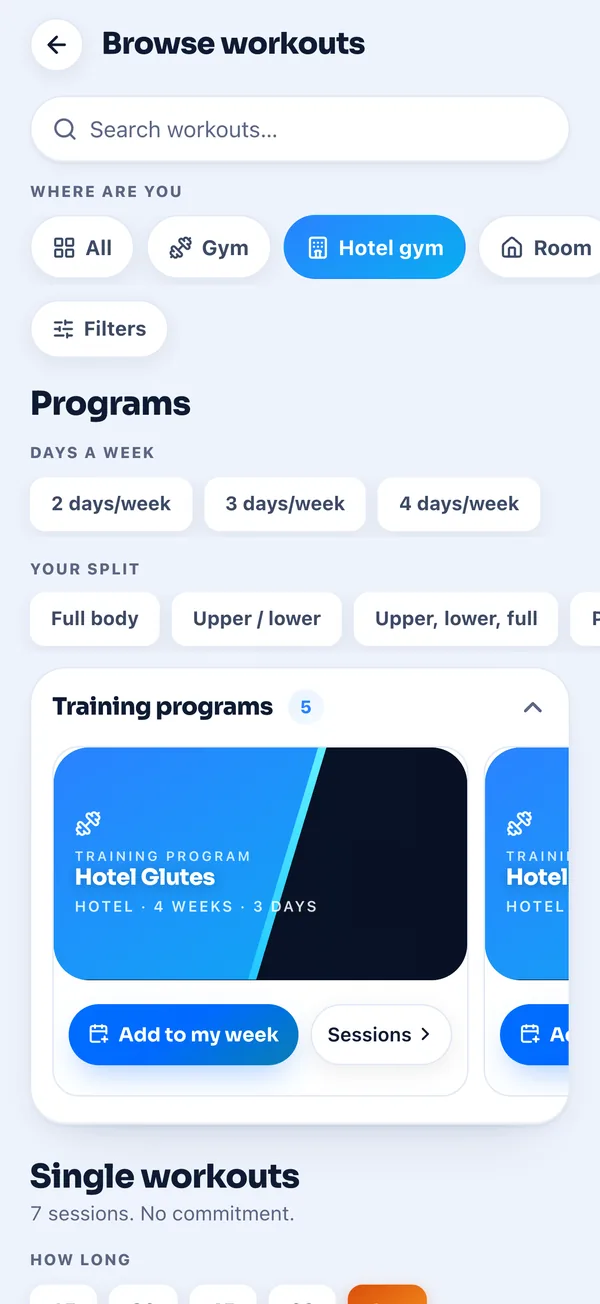
Single sessions are fine for a few days. For a longer trip there are full programmes. Under Hotel gym you get five of them, each four weeks long: Hotel Glutes, Hotel Full Body, Hotel Upper, a four day hotel split, and Travel Maintenance, two short dumbbell sessions a week to hold on to what you have built while you move around.
If you have no kit at all there is Bodyweight Anywhere, three sessions a week that need nothing but a chair and floor space and still get harder every week. When you set the app up you choose Gym, Hotel or Home, and the sessions it suggests for your week follow that choice.
When there is a gym nearby
Every country guide on the travel side of the app has a gyms section. In 15 countries it lists the gyms we actually trained at, 36 of them, each with a We trained here badge and a link to the gym's Instagram. In the other countries it shows gyms we researched but have not trained at, and those never get the badge.
What it doesn't do yet
Not every exercise has a demo clip yet. Most of the bodyweight moves in the room sessions show a card that says the exercise still needs filming. We would rather say that than show a clip of a different exercise, and filming them is on our list.
The demo clips we do have stream from the internet, so they need a connection. Your plan and everything you log are kept on the phone first and sync when you are back online. There are no live classes and no follow along videos, it is a logbook with our sessions in it.
A hotel room was never going to replace a good gym for us. What it can do is keep the habit going on the weeks when there is no gym, so you land in the next town still training instead of starting again. That is what we use these sessions for, and it is why the swap button exists.
Abbey & Tijs