Life on the road is not seven identical days. There is a dinner out with friends, a long lunch somewhere with a view, a travel day where you barely eat. A fixed daily target treats every one of those as a day you either nailed or blew, and after three years of full time travel we got tired of that.
So calorie banking sits at the centre of the app. When we launched, we described the app as half fitness and half travel, and on the fitness half calorie banking was named right next to the workouts and the tracking. One follower messaged us from Italy with a line about the food followed by calorie banking, three times over, which sums it up better than we can.
Here is what it is, how the maths works, and how you set a week up, using the real screens.
How it works
1Start with the week, not the day
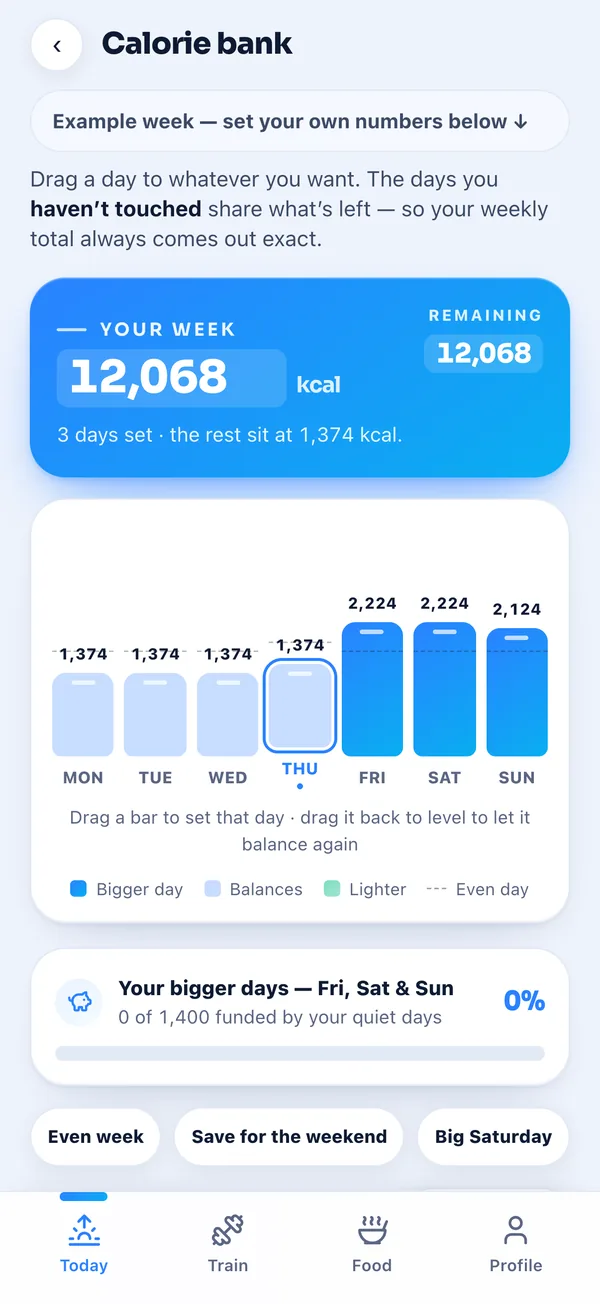
Your target becomes a number for the week. This example week is 12,068 calories, and the chart under it shows how that splits over the seven days, one bar each. Days you have made bigger are dark blue, the days that balance them are light blue, lighter days are green.
The rule behind it is one line in the app's maths. Every day carries an adjustment, bigger, lighter or none, and the days with none share whatever is left, so the seven days always add up to the weekly budget exactly, even after rounding.
2Pick a shape with one tap
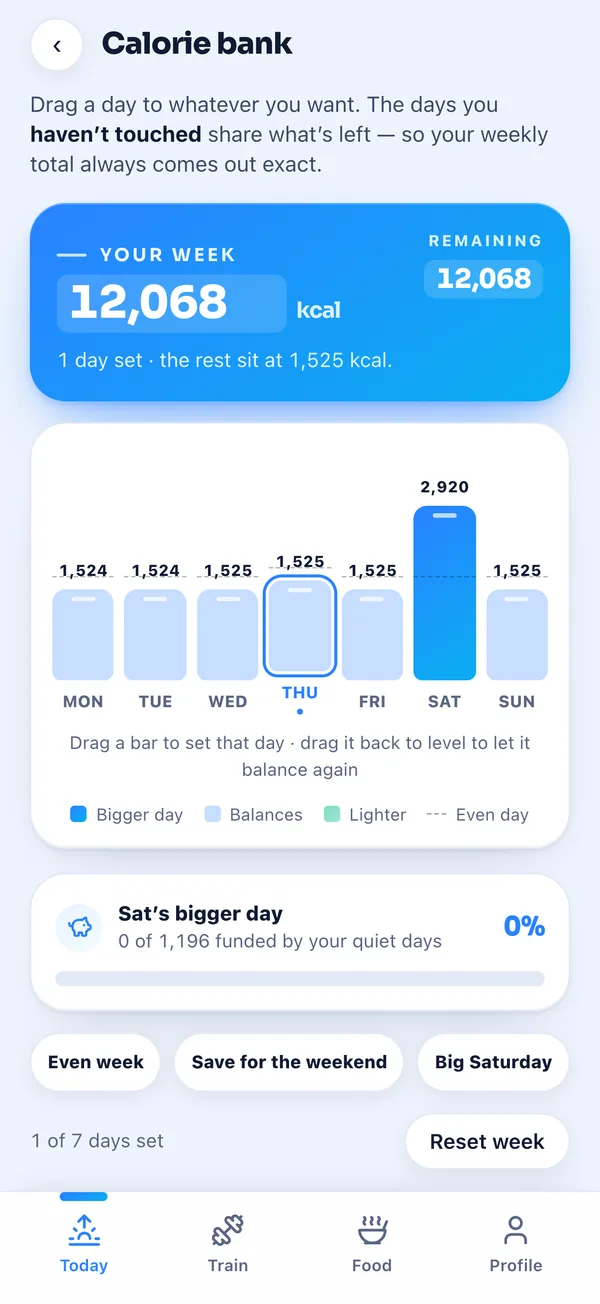
Three buttons give you a starting point: Even week, Save for the weekend and Big Saturday. Tap Big Saturday on this week and Saturday goes to 2,920 calories while the other six days sit at 1,524 or 1,525. The week is still 12,068.
Reset week puts every day back to level. On a Sunday you can also plan the shape of next week, and it switches on when Monday comes round, so the week you are still in does not change under you.
3Drag any day up or down
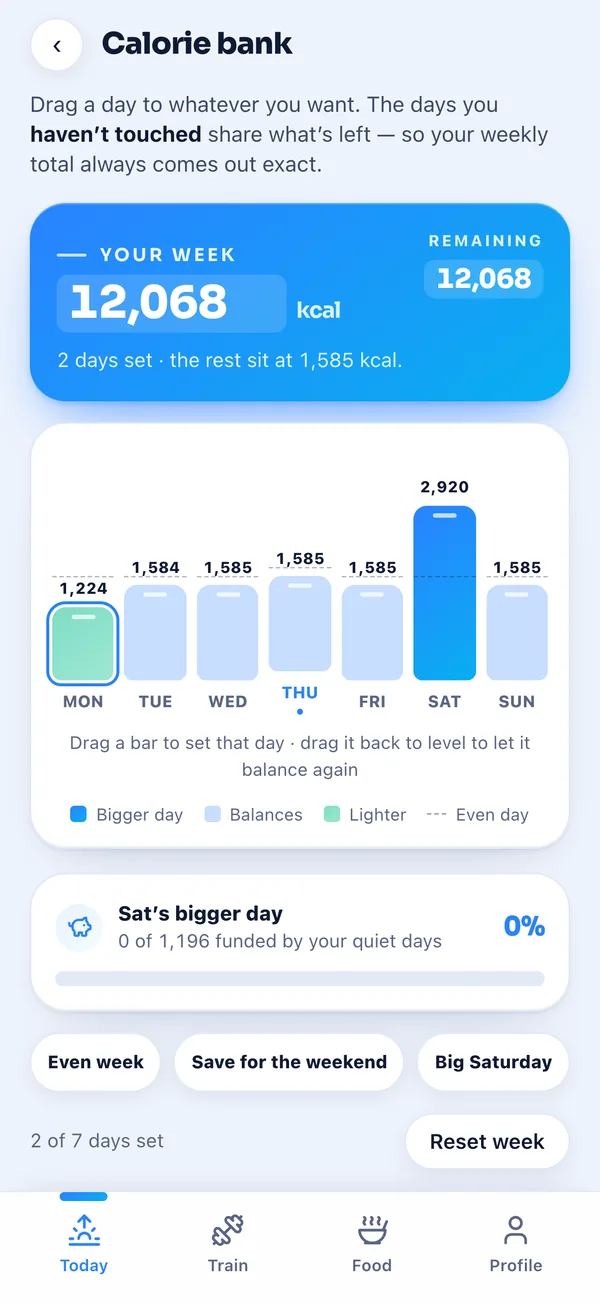
For anything the buttons do not cover, drag a bar. Pull Monday down to 1,224 and it turns into a lighter day, and the untouched days rise to 1,584 or 1,585 to give the calories back. Drag a bar back to level and it rejoins the days that balance.
You can also nudge a day with plus and minus or type an exact number, which matters if you are using a screen reader or you already know the number you want. A card under the chart shows how much of your bigger day the quiet days have already paid for.
4Live it one day at a time
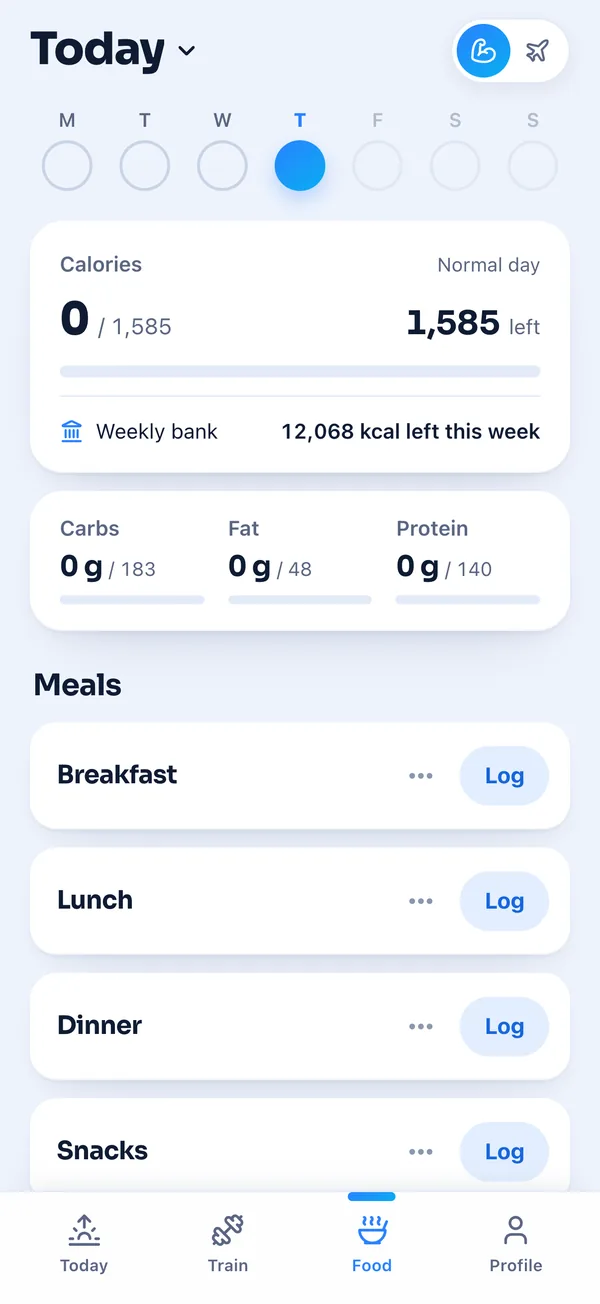
Each day then has its own target, and the food diary tells you which kind of day it is, normal, bigger or lighter. Right under it is the weekly bank, what is left for the whole week, so you always see both numbers.
When you mark a day complete, it locks at what you actually ate, not what you planned. Went over by 300 on Wednesday? The days still to come share it, and the calorie bank says how many days are locked and that the rest rebalanced around what you really ate.
The guardrail
Banking can be pushed too far, so the app has a fixed built-in minimum for the days that balance, 1,200 calories, the same for everybody. It is a guardrail in the app, not advice about what you personally should eat. If a plan would push those days under it, the app trims the bigger days to fit and tells you why, and if the whole weekly budget averages below it, it asks you to raise the budget instead of hiding the problem.
It also keeps at least one day untouched, because with every day set there is nothing left to balance the week.
Who it is not for
If you like one number every day and never want to think about the week, calorie banking will feel like extra work, and an even week is fine. Leave it on Even week and the app behaves like a normal daily tracker. It is also only as good as your logging. A big day that never gets logged is still a big day.
It matches how we already eat on the road. We cook most days, eat out two or three times a week and keep drinks to about once a week. Calorie banking gives those meals out a place in the week instead of a guilty feeling, and the app does the maths so we do not have to.
Abbey & Tijs